What an online cashbook is
An online cashbook is a browser-based tool for recording a company’s cash transactions: money received, money paid out, opening balance and the current cash balance.
It is useful for businesses that accept cash, pay certain expenses from cash, handle staff advances or simply want their cash records next to invoices and payment information.
What matters for cash records in Estonia
Cash movements are business transactions just like bank movements. They should be documented and recorded in a way that makes the transaction understandable later: what happened, when it happened, for how much and on what basis.
- record the date and amount;
- describe the business purpose, such as an invoice payment, refund, advance or office expense;
- where relevant, identify the customer, supplier or other counterparty;
- keep the source document and the cash record in a form that can be retrieved later.
A digital cashbook is useful because every receipt and payment remains a separate record, with an explanation and a PDF document available when needed.
Which documents are linked to a cashbook
In practice, companies may use a cash receipt voucher, a cash payment voucher and a cashbook. These describe cash movements; they do not replace the sales document itself.
| Document | Purpose |
|---|---|
| Cash receipt voucher | Records cash coming into the cashbox. |
| Cash payment voucher | Records cash paid out of the cashbox. |
| Cashbook | Shows the history of cash movements and the current balance. |
| Invoice | Documents the sale of goods or services; the cash record separately documents the movement of money. |
How the cashbook works in Arveteha
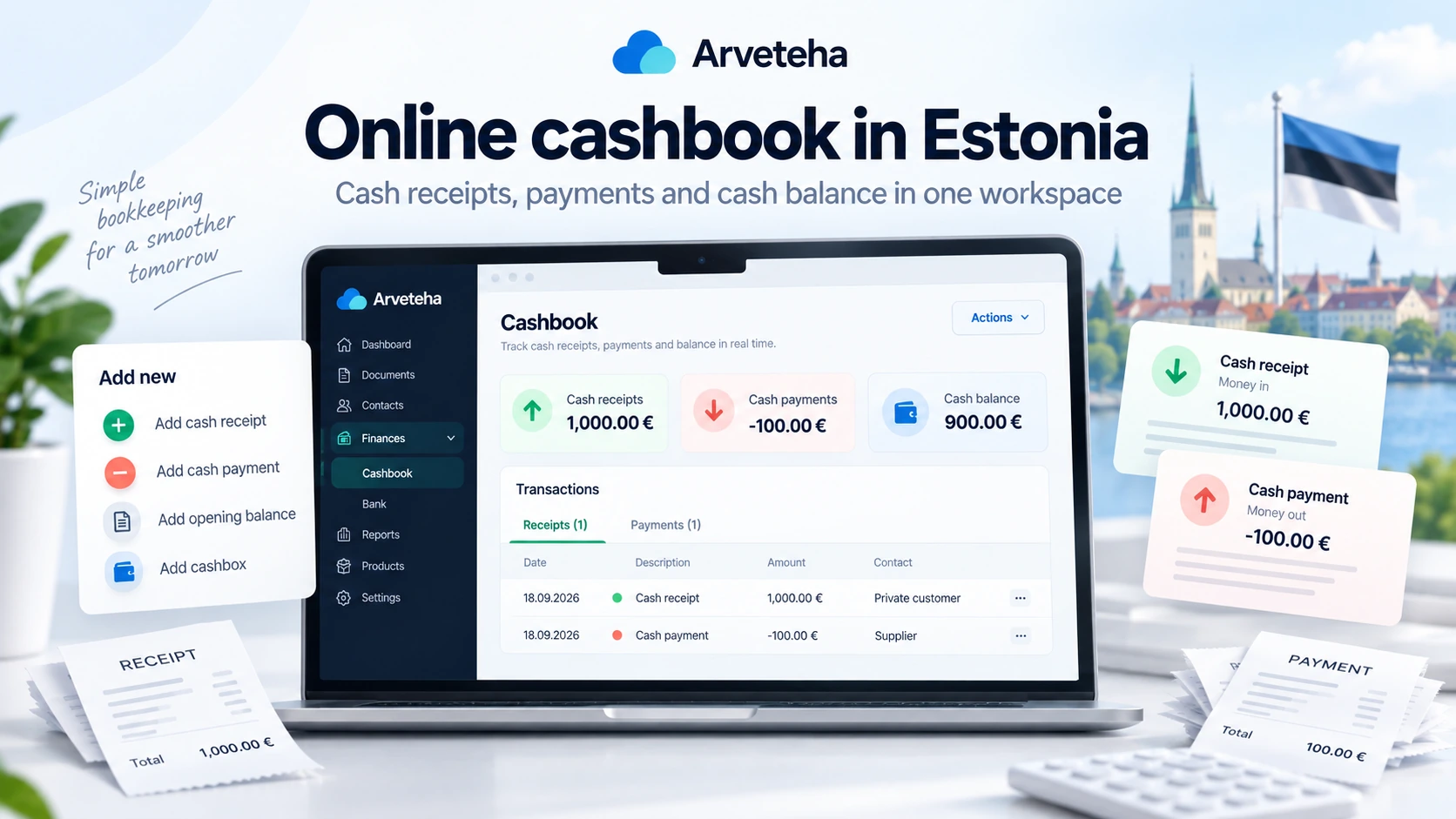
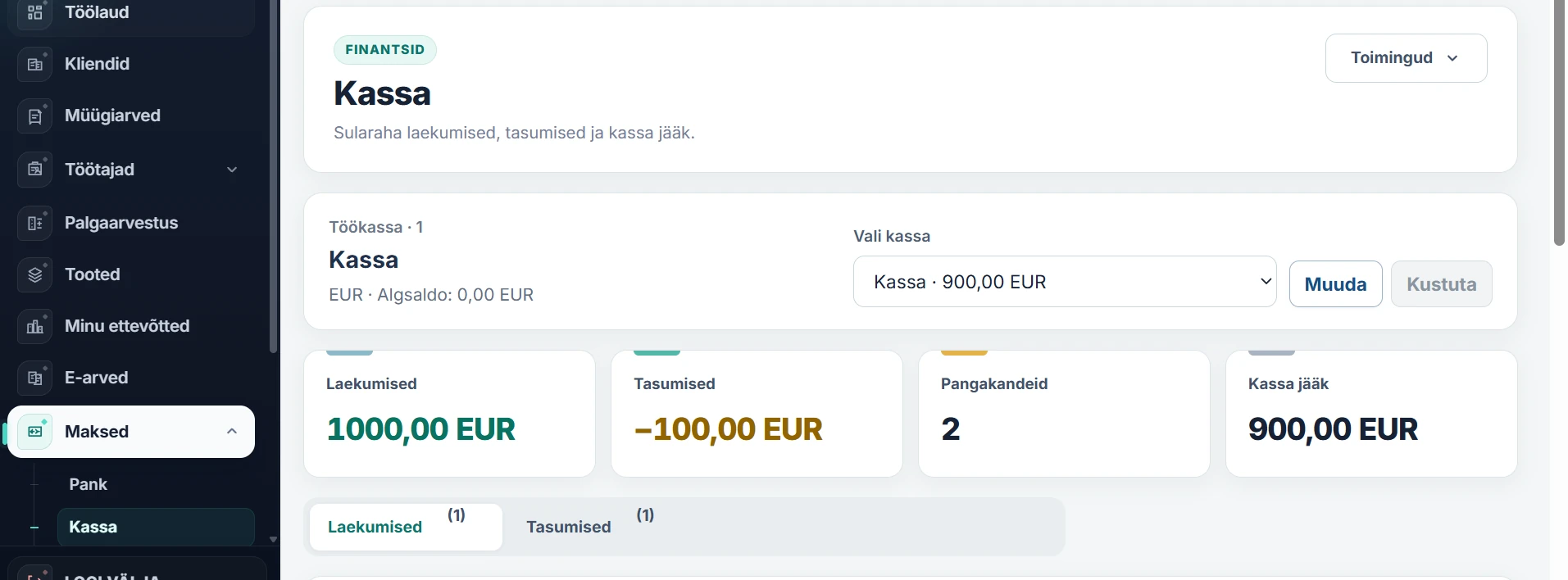
Open Maksed → Kassa. The dashboard shows cash receipts, cash payments, transaction count and the current balance of the selected cashbox.
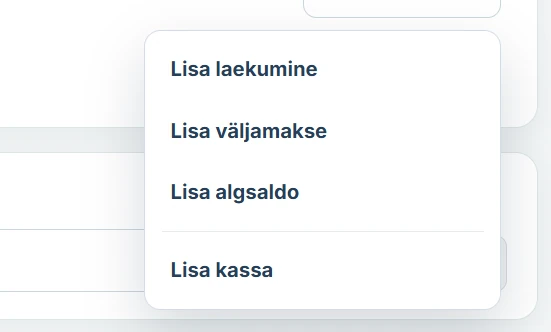
The Toimingud menu contains the main actions: add a receipt, add a payment, add an opening balance and create another cashbox.
How to record a cash receipt
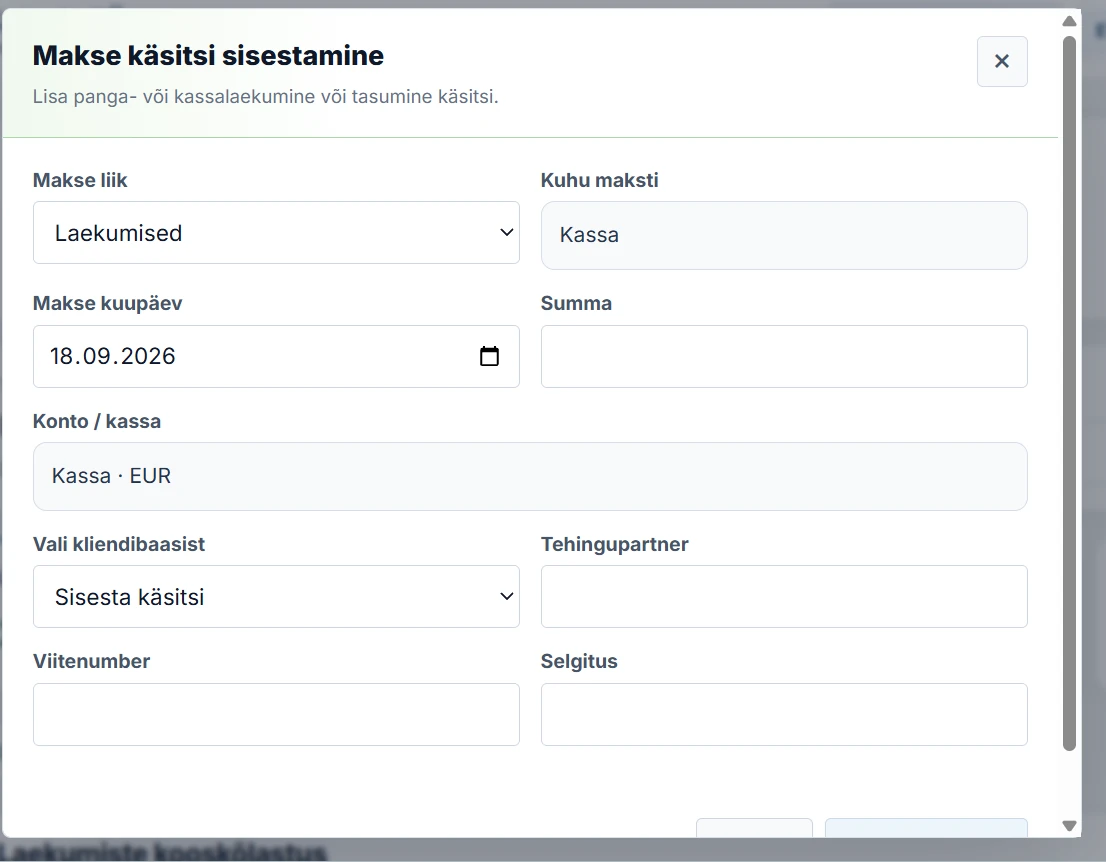
Choose Lisa laekumine. The form records the transaction type, date, amount, cashbox, counterparty, reference number when relevant and an explanation.
- Open the actions menu and choose the receipt option.
- Check the transaction date and the selected cashbox.
- Enter the amount received.
- Select a customer from the database or enter the counterparty manually.
- Add a clear description, for example “Cash payment for invoice 125”.
- Save the transaction.
How to record a cash payment
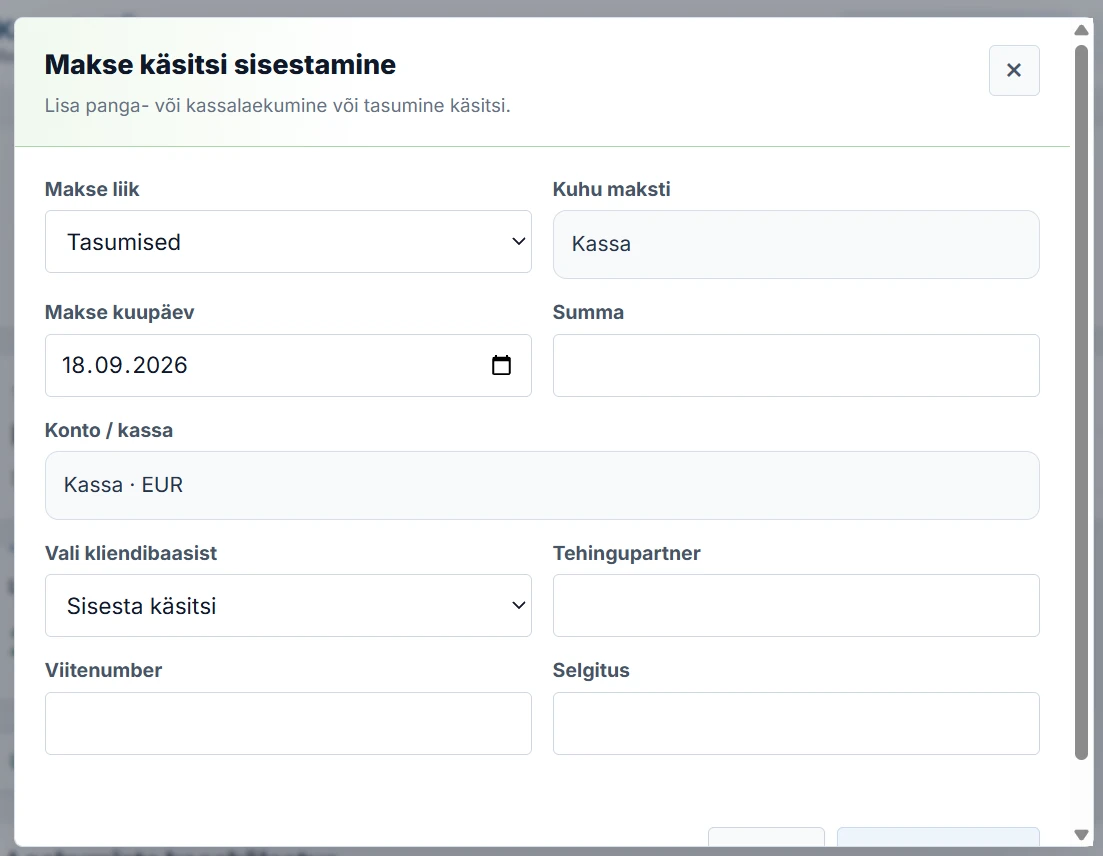
For money leaving the cashbox, choose Lisa väljamakse. Enter the date, amount, selected cashbox, payee and a meaningful reason for the payment.
- Choose the cash payment action.
- Enter the date and amount.
- Check the selected cashbox.
- Add the payee or supplier.
- Describe the basis, such as office supplies, a staff advance or a customer refund.
- Save the transaction and generate a document if needed.
How the cash balance is calculated
The cash balance is the amount that should be in the cashbox according to the recorded transactions.
If the opening balance is €0, the business receives €1,000 in cash and later pays out €100, the cash balance becomes €900.
It is good practice to reconcile the system balance with the actual cash on hand. A difference usually points to a missing or incorrectly entered transaction.
How long to keep cash documents
Estonian accounting source documents are generally retained for seven years from the end of the financial year in which the transaction was recorded. The Accounting Act also allows machine-processable storage, provided the documents remain readable, reproducible in writing and evidentially reliable throughout the retention period.
When you need an invoice and when you need a cash voucher
An invoice and a cash document serve different purposes. The invoice documents the sale; the cash voucher or cashbook entry documents the movement of cash.
| Situation | What to prepare |
|---|---|
| A customer pays for a service in cash | Invoice + cash receipt voucher |
| The company pays a business expense from cash | Cash payment voucher + supporting expense document |
| The business starts using the system with cash already on hand | Opening balance entry + document supporting the origin of the balance |
| Ordinary shop till receipt | Do not automatically treat it as a VAT-compliant simplified invoice; invoice requirements must be checked separately. |
The Estonian Tax and Customs Board specifically notes that an ordinary receipt from a shop cash register is not automatically a simplified invoice for VAT purposes.
Frequently asked questions
Is an online cashbook the same as a cash register?
No. Here, “online cashbook” means a bookkeeping tool for cash transactions and supporting documents, not a physical retail till.
Can cash records be kept digitally?
Yes, provided accounting documents remain readable, reproducible and reliable throughout the required retention period.
Why do I need an opening balance?
It lets the system start from the amount of cash that was already on hand before the business began recording transactions in the cashbook.
What is the difference between an invoice and a cash voucher?
An invoice documents the sale of goods or services. A cash voucher documents the movement of cash.
Can a business keep more than one cashbox?
Yes. If several cashboxes are used, keeping their balances and transaction histories separate makes reconciliation much clearer.
Sources and official guidance
- Riigi Teataja — Accounting Act (official legislation database)
- Riigi Teataja — Consumer Protection Act amendment effective 1 September 2025
- Estonian Tax and Customs Board — simplified invoice guidance
This is general information. A company should define its own cash-handling procedures and obtain accounting advice where a specific transaction requires it.