
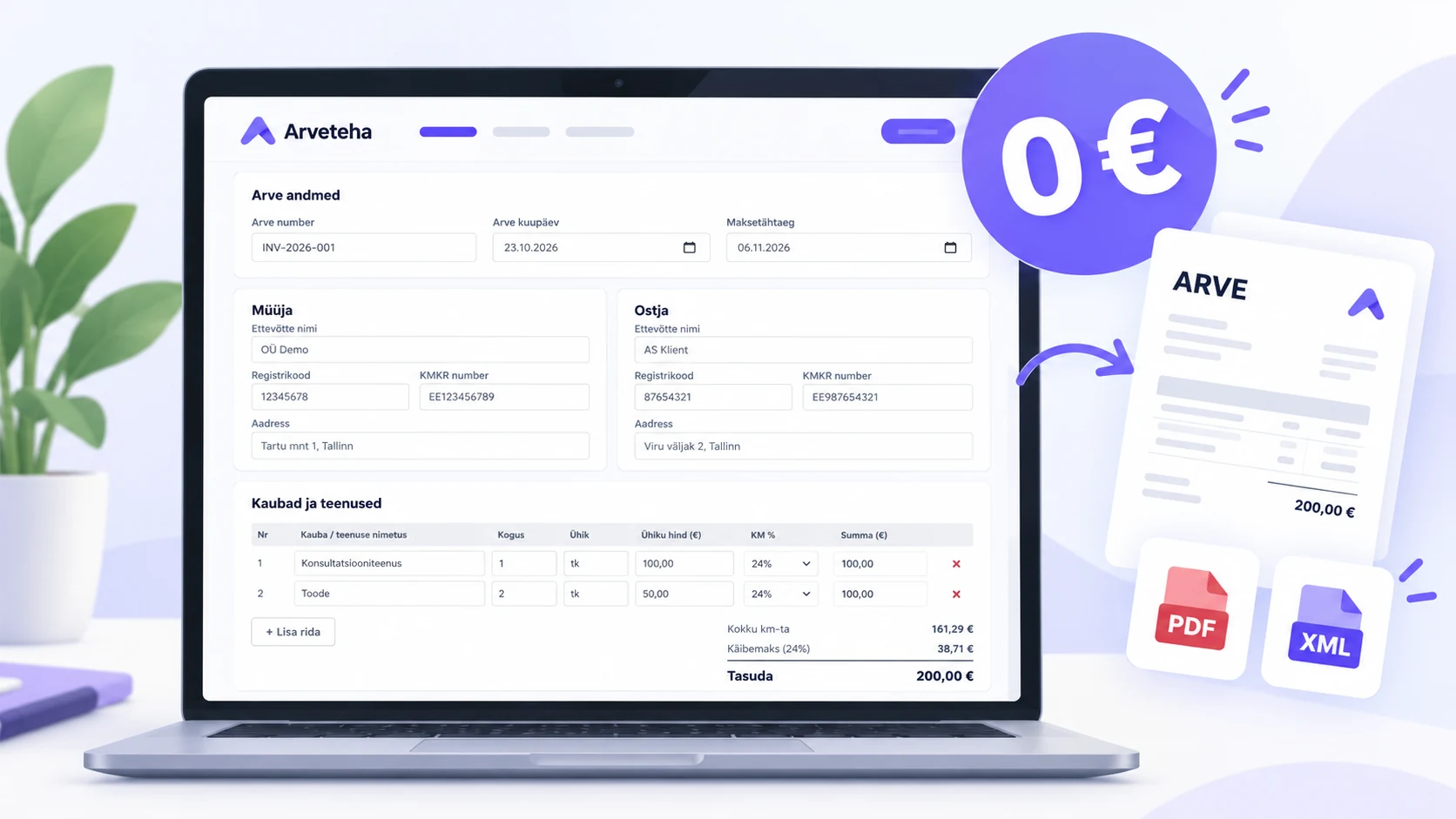
You've started a business. Now you need an invoice.
You've registered your OÜ, found your first customer, and completed the job. Everything went smoothly, and the customer is ready to pay.
All they need is an invoice.
Sounds simple enough, right?
You search for "free invoice generator Estonia" or "create invoice online." The first website asks you to register. The second offers a free trial. The third lets you complete an entire invoice before revealing that downloading it costs money.
Eventually, you find a Word or Excel template. Now you're responsible for formatting the document, setting up calculations, and checking that all the required information is there.
And all you wanted to do was send one invoice.
When you're just starting out, you may not have an accountant or need a complete accounting system. Paying for a monthly subscription just to create your first document doesn't make much sense.
Creating an invoice shouldn't be complicated.
Open a website, enter the details, and download a ready-to-send invoice. No account, no subscription, and no unexpected charges.
That's exactly what Arveteha's free online invoice generator is designed to do.
Where to find Arveteha's free invoice generator
You can access it here: Arveteha Free Invoice Generator.
It works directly in your browser, so there's nothing to install. You don't even need to create an Arveteha account.
Here's what you get:
- Free invoices. Create and download invoices at no cost.
- No sign-up required. Make a one-time invoice without registering.
- PDF and XML downloads. Choose the file format that fits your needs.
- Automatic calculations. Quantities, prices, discounts, VAT, and totals are calculated for you.
- Estonian Business Register lookup. Save time when entering information about Estonian companies.
The process is straightforward: enter the seller and buyer details, add your products or services, review the totals, and download the invoice.
Ready to try it?
Step 1. Enter your business and customer details
Start by adding information about the two parties involved in the transaction.
The seller is your business — the company issuing the invoice.
The buyer is the person or company receiving the goods or services.
Getting these details right from the beginning helps avoid corrections and payment delays later.
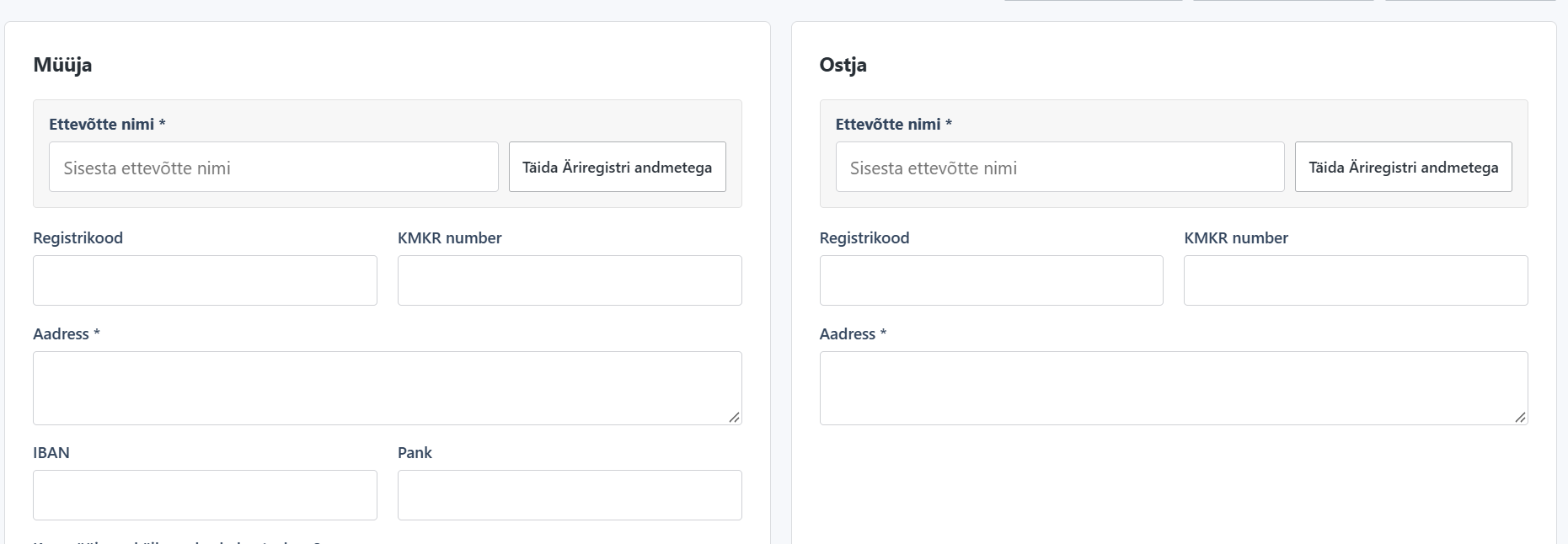
1. Enter your business details.
Add your company's legal name, registration number, and address.
If you're receiving payment by bank transfer, include your IBAN and bank name.
If your business is registered for VAT, enter its VAT registration number (KMKR).
2. Add your customer's information.
Enter the customer's name and address. Include their company registration number and VAT number where applicable.
3. Use the Estonian Business Register.
For Estonian companies, the "Fill from Business Register" feature can help populate company details automatically.
It's a convenient way to reduce manual entry and avoid typing errors.
4. Double-check everything.
Before moving on, review the company names, registration details, and bank information.
A small mistake — especially in the payment details — can delay an otherwise straightforward transaction.
A useful tip: Even when information comes from the Business Register, it's worth checking that everything is current. Bank account details and other information may need to be verified separately.
Step 2. Add the invoice number, dates, and payment terms
Next, complete the invoice details.
You'll need an invoice number, issue date, payment terms, due date, and currency.
You can also enter the date the goods or services were supplied and a payment reference number (viitenumber), where needed.
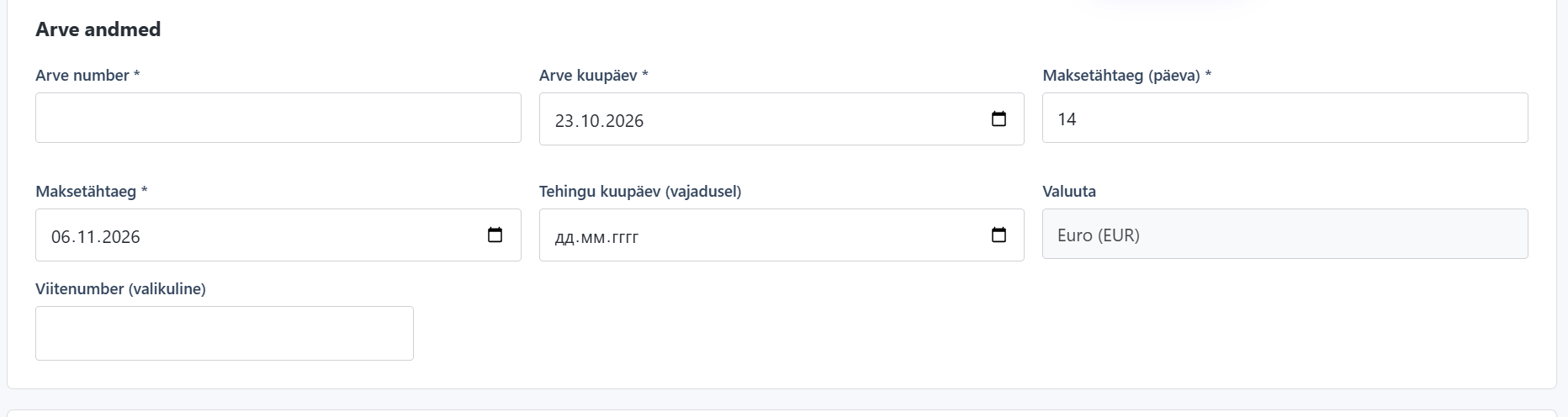
Invoice number
Every invoice needs a unique number.
For example, you could start with 2026-001, followed by 2026-002, 2026-003, and so on.
The exact numbering system is up to you. What matters is using it consistently so that each invoice can be clearly identified.
Issue date
Enter the date you're issuing the invoice.
If the goods were delivered or the services were provided on a different date, you may also need to specify that date separately.
Payment terms
Make it clear when payment is due.
For example, if you've agreed on a 14-day payment term, enter that in the form. The generator can calculate the corresponding due date.
A clear payment deadline helps your customer know when to pay and makes it easier to identify overdue invoices.
Step 3. Add your products or services
Now it's time to describe what you're charging for.
It might be consulting, construction work, equipment rental, transportation, software development, or products you've sold.
The description should be specific enough for your customer to understand what they're paying for.
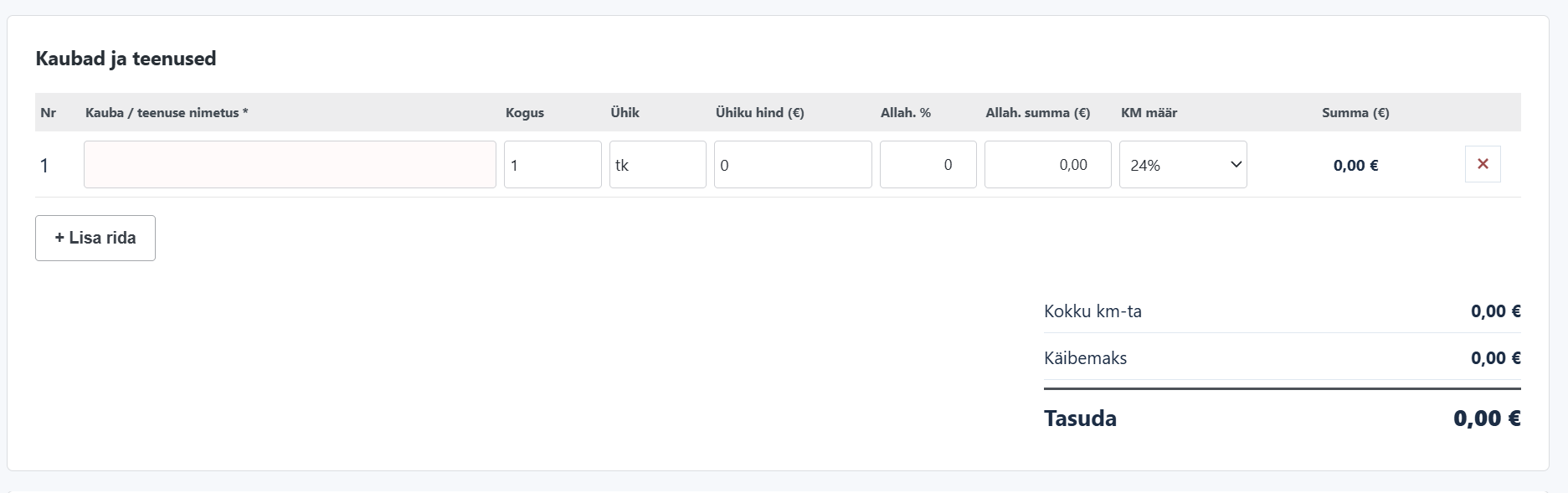
For each invoice line, you can enter:
- Product or service description
- Quantity and unit of measurement
- Unit price
- Discount, if applicable
- VAT rate
Let's look at an example.
Say you run a small construction business and have completed installation work worth €500 before VAT.
Your company is VAT registered, and the service is subject to Estonia's standard VAT rate of 24%.
Here's how the invoice would look:
| Description | Amount |
|---|---|
| Installation services | €500.00 |
| VAT (24%) | €120.00 |
| Total due | €620.00 |
Arveteha calculates the VAT and total automatically.
There's no need to build spreadsheet formulas or work out the numbers yourself.
If you're billing for several products or services, simply click "Add row" and enter the next item.
You can also apply a discount to an individual line. The totals update automatically whenever you change the details.
Step 4. Apply the correct VAT treatment
VAT is one of the details worth checking carefully before issuing an invoice.
Whether you need to charge it — and at what rate — depends on your company's VAT registration status and the nature of the transaction.
Arveteha's generator starts with a simple question:
"Is the seller VAT registered?"
If your business isn't VAT registered
Many newly established companies in Estonia are not registered for VAT.
If your OÜ isn't VAT registered and the transaction doesn't require you to account for VAT, select the appropriate non-VAT-registered status.
In that situation, no VAT is added to the invoice.
For example, if you've agreed to provide a service for €100, the customer pays €100.
If your business is VAT registered
VAT-registered businesses must apply the correct tax treatment to each transaction.
Estonia's standard VAT rate in 2026 is 24%.
Reduced rates of 13% and 9% apply to certain goods and services. Some transactions are zero-rated, while others are exempt from VAT.
In the generator, you can select the appropriate VAT rate for each invoice line.
Where a transaction is zero-rated or VAT-exempt, make sure the invoice includes any legally required reference or explanation.
An important distinction: Being not registered for VAT is different from making a zero-rated supply. These are separate tax situations and should not be treated as interchangeable.
If you're unsure which rate or treatment applies, check the guidance from the Estonian Tax and Customs Board (MTA) or consult an accountant.
The generator handles the calculations, but you're still responsible for selecting the correct VAT treatment.
Step 5. Download your invoice as a PDF or XML file
Once you've entered everything, take a moment to review the invoice.
Check the company names, invoice number, dates, bank account details, line descriptions, VAT, and final amount.
When you're satisfied, click "Download PDF" or "Download XML".
Both formats are useful, but they serve different purposes.
| XML | ||
|---|---|---|
| Main purpose | Viewing, sharing, and storing an invoice | Processing structured invoice data |
| Typical use | Emailing an invoice to your customer or saving a copy | Importing invoice data into compatible business software |
| Human-readable | Yes | Primarily designed for software systems |
Good to know: Arveteha's public generator creates the final PDF invoice in Estonian, even if you fill out the form in English or Russian.
This provides a consistent document format for business transactions in Estonia.
What if you're invoicing a government institution?
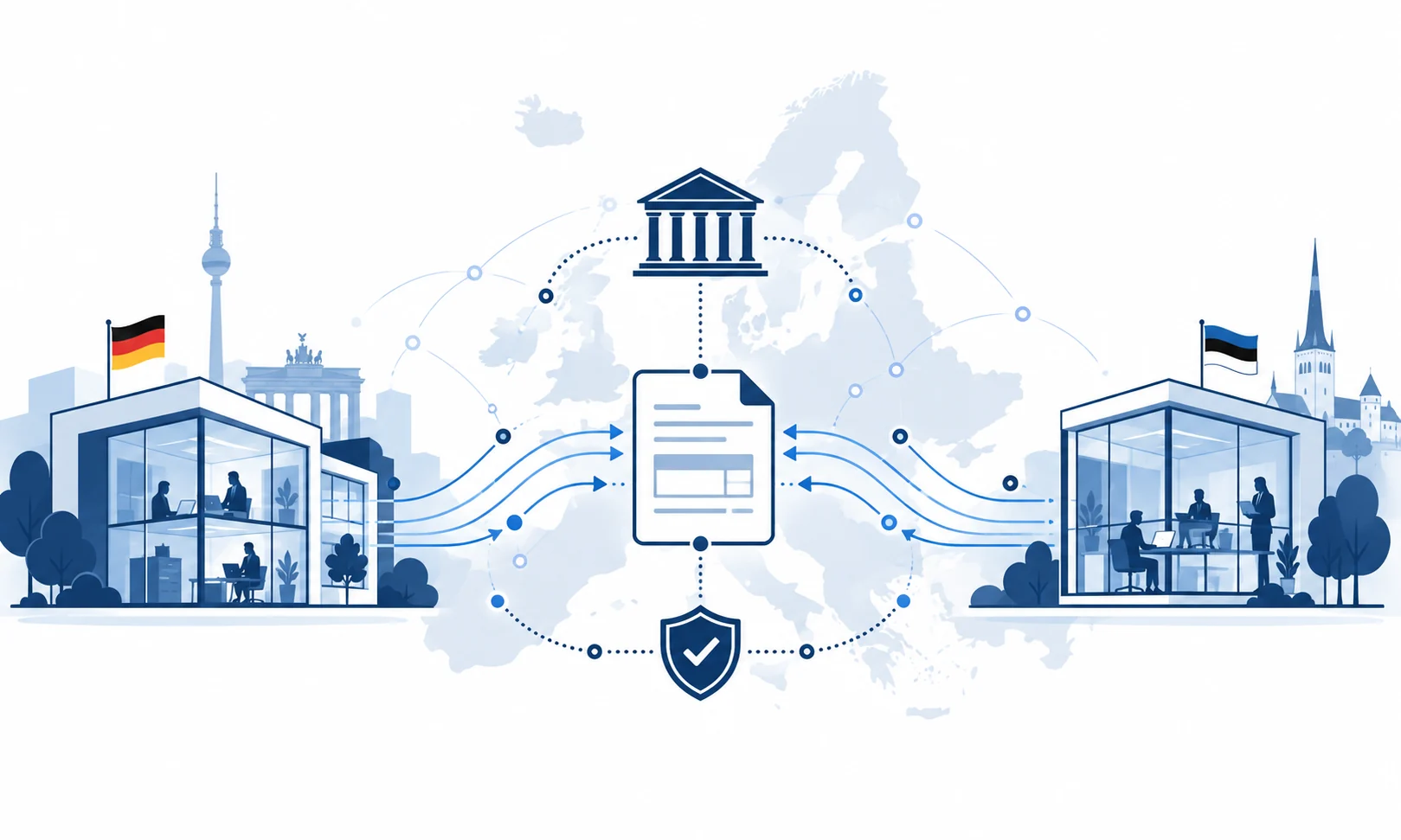
Estonian public-sector institutions require compliant electronic invoices, commonly known as e-invoices or e-arved.
An e-invoice is more than a PDF attached to an email. It contains structured information that the recipient's system can process automatically.
There's also an important difference between downloading an XML file and actually delivering an e-invoice.
Downloading XML does not mean the invoice has been sent.
The file must meet the relevant technical requirements, and the invoice must reach the recipient through an accepted electronic invoicing channel.
If you need to send and receive e-invoices directly, Arveteha offers this functionality through its Business PRO plan.
Your first invoice is ready. What comes next?
You've created your invoice and sent it to your customer.
A week later, another project comes along. Then another.
One customer asks you to resend an old invoice. Another says they've already paid. A third needs a correction to the service description.
Before long, your computer is filling up with files named invoice1.pdf, invoice-new.pdf, invoice-revised.pdf, and invoice-final-2.pdf.
Sound familiar?
You start searching through emails, checking bank statements, and trying to remember which invoices have been paid.
Managing a handful of invoices manually isn't too difficult. But as your business grows, keeping everything organized can quickly become time-consuming.
Creating an invoice is the easy part. Keeping track of invoices and payments is what takes time.
A free generator is a practical solution when you only need an occasional invoice.
Once invoicing becomes part of your regular workflow, it makes sense to keep your customers, documents, and payment information together.
Arveteha Business Starter: Manage invoices for €0 a month
When you're ready for more than a one-off invoice generator, you can move to Arveteha Business Starter.
It's a free invoicing workspace designed to help small businesses manage their day-to-day billing without adding another monthly expense.
Business Starter includes:
- Unlimited invoices, companies, and users
- PDF and XML invoice creation
- Saved invoices and document history
- Customer, product, and service records
- Bank account information and statement imports
- Tools for managing invoices and related payments
Business Starter costs €0 per month, with no time limit on free use.
Which option is right for you?
| Free invoice generator | Arveteha Business Starter |
|---|---|
| Create an invoice without signing up | Create and save invoices regularly |
| Enter customer details each time | Reuse saved customer and product information |
| Download the invoice to your computer | Access previous invoices from your account |
| Track payments separately | Manage invoices and payment-related information in one workspace |
| €0 per invoice | €0 per month, with no time limit |
If you only need to create one invoice today, the free generator is a great place to start.
When you have more customers and invoices to manage, Business Starter gives you a more organized way to work — without a monthly subscription.
Choose how you'd like to get started:
Frequently asked questions
Can I create an invoice for free without signing up?
Yes. You can use Arveteha's online invoice generator without creating an account. Simply enter the required details and download your invoice as a PDF or XML file.
Is the generator suitable for a newly registered OÜ?
Yes. It's particularly useful for new businesses that need to issue their first invoices without purchasing accounting software or committing to a monthly subscription.
Can I create an invoice if my business isn't VAT registered?
Yes. If your business is not VAT registered and the transaction does not require VAT to be charged, you can select the appropriate seller status in the generator. Remember that not being VAT registered and applying a 0% VAT rate are two different situations.
Is an XML file the same as an e-invoice?
Not exactly. XML is a file format used to store structured information. A compliant e-invoice must also meet the applicable technical requirements and be delivered through a suitable electronic invoicing channel. Downloading an XML file does not, by itself, mean you've sent an e-invoice.
Can I invoice an Estonian government institution?
Yes, but you need to use the required electronic invoice format and delivery method. Simply emailing a PDF will generally not meet the public sector's e-invoicing requirements. Arveteha Business PRO supports direct e-invoice sending and receiving.
Is Arveteha Business Starter really free?
Yes. Business Starter costs <strong>€0 per month</strong>, with no time limit. It includes the core tools for creating and managing invoices. Additional features, such as direct e-invoice sending and receiving, are available through Business PRO.
Official sources
- Arveteha — Free Online Invoice Generator
- Arveteha — Pricing and Plans
- Estonian Tax and Customs Board — Required Invoice Information
- Estonian Tax and Customs Board — VAT Rates
Arveteha Business Starter · €0/month
Leave a comment
Comments 0